Revit Add-in · For Architects & Interior Designers

Submit with confidence.
Know your model is ready.

Pulse scores your Revit model out of 100 in seconds — surfacing issues before they become problems on site, in coordination, or at submission.

↓ Download on Autodesk App Store Contact Us
✓ Revit 2025 ✓ Revit 2026 ✓ Windows 64-bit
91/100
Excellent
75/100
Good
43/100
Critical

Built for every designer on Revit

Whether you're an architect issuing a DA set, an interior designer coordinating with consultants, or a project lead signing off before submission — Pulse gives you instant visibility into your model's health.

🏛️

Architects

Catch model issues before DA, CD, or construction issue — and prove model quality to clients and consultants.

🛋️

Interior Designers

Keep your Revit models clean and coordinated across fitout, FF&E, and documentation phases.

👷

Project Leads

Get a one-page model health report you can share with the team, client, or principal — no technical knowledge needed to read it.

🏢

Design Firms

Set firm-wide quality standards with a customisable scoring threshold — and track model health across every project.

One score. Everything you need to know.

Open any Revit project, click Pulse in the Add-ins ribbon, and within seconds you have a complete model health report — no setup, no manual checking.

📊

Score out of 100

A single, easy-to-read number that tells you exactly where your model stands — and what to fix first.

🔧

Prioritised fix strip

The most impactful issues are shown first. Click any fix to jump directly to that element in your model — no searching.

📄

One-click PDF report

Export a clean, dated health report in one click — ready to share with your principal, client, or the whole project team.

⚙️

Firm standards built in

Customise check weightings to reflect your firm's quality standards — no IT support or developer knowledge required.

🎯

Find any problem element

Every finding is linked to the actual elements causing it. One click and Revit zooms straight to them.

🔄

Track improvements live

Fix an issue in Revit, hit Refresh, and watch your score update immediately — satisfying and motivating.

8 checks. One clear score.

Pulse automatically checks everything that matters for a clean, coordinated, submission-ready Revit model.

⚠️

Warnings & Errors

Revit warnings that slow down coordination and cause clashes. Pulse categorises them by severity so you know what to fix first.

High weight
🔍

Element Quality

Unhosted elements, incorrect placements, and geometry issues that affect documentation and coordination accuracy.

High weight

File & Performance

Imported CAD files, large file size, and unresolved links that make your model slow to open and sync.

Medium weight
📋

Standards Compliance

View templates, browser organisation, and model setup — checked against your firm's own standards automatically.

Medium weight
🏗️

In-Place Families

One-off elements that bloat your file and can't be reused. Pulse finds them all and helps you decide which to replace.

Medium weight
📐

Sheet & View Naming

Unnamed views and incomplete sheet titles that make your drawing set look unfinished and hard to navigate.

Standard weight
🔗

Shared Parameters

Missing or inconsistent shared parameters that break schedules, tags, and data exports downstream.

Standard weight
👥

Workset Hygiene

Workset structure and element distribution — keeping your collaborative model clean for the whole team.

Standard weight

Clean, simple, built for your workflow

A focused interface that sits inside Revit — no switching apps, no learning curve.
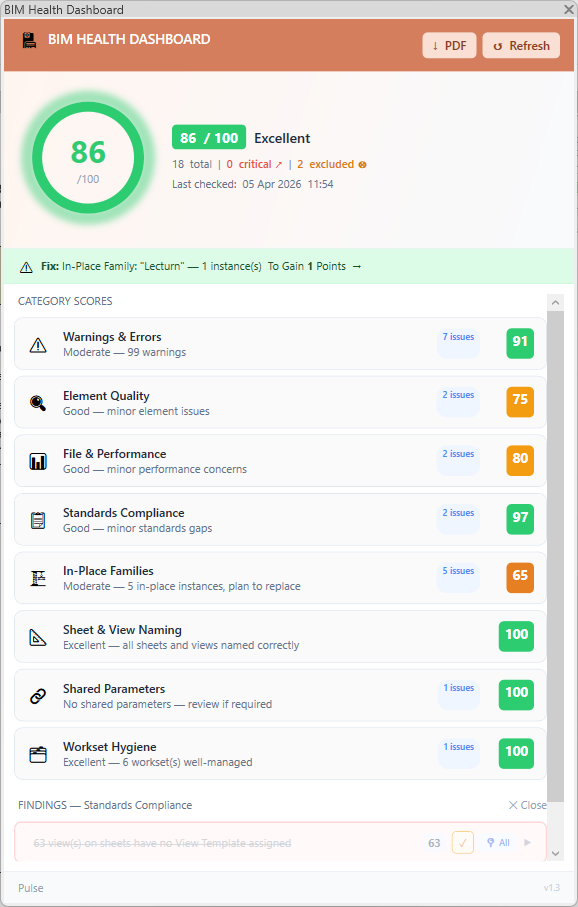
Pulse showing full model health score and category breakdown
Full health breakdown with scores across all 8 categories
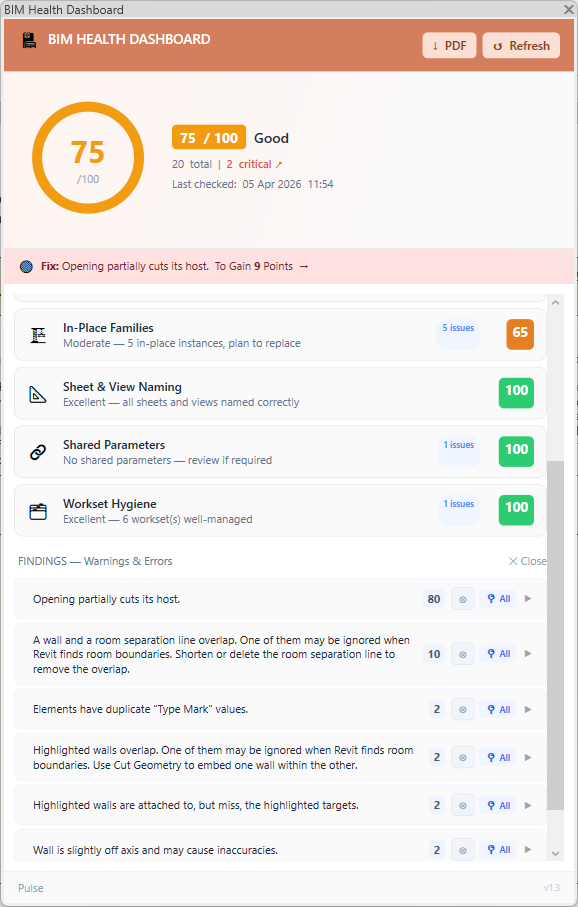
Pulse findings panel with element locate
Expanded findings list with one-click element locate
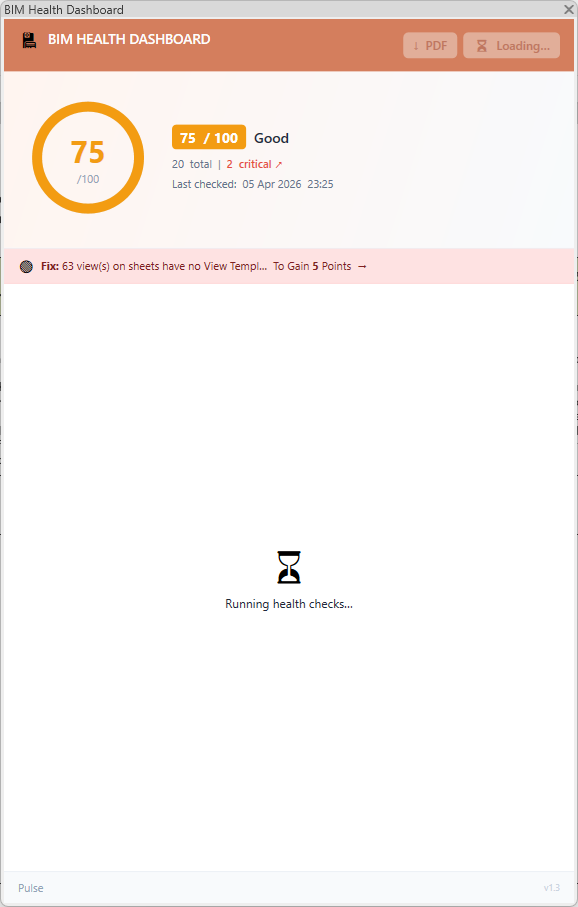
Pulse running health checks on model open
Checks run automatically when you open the dashboard
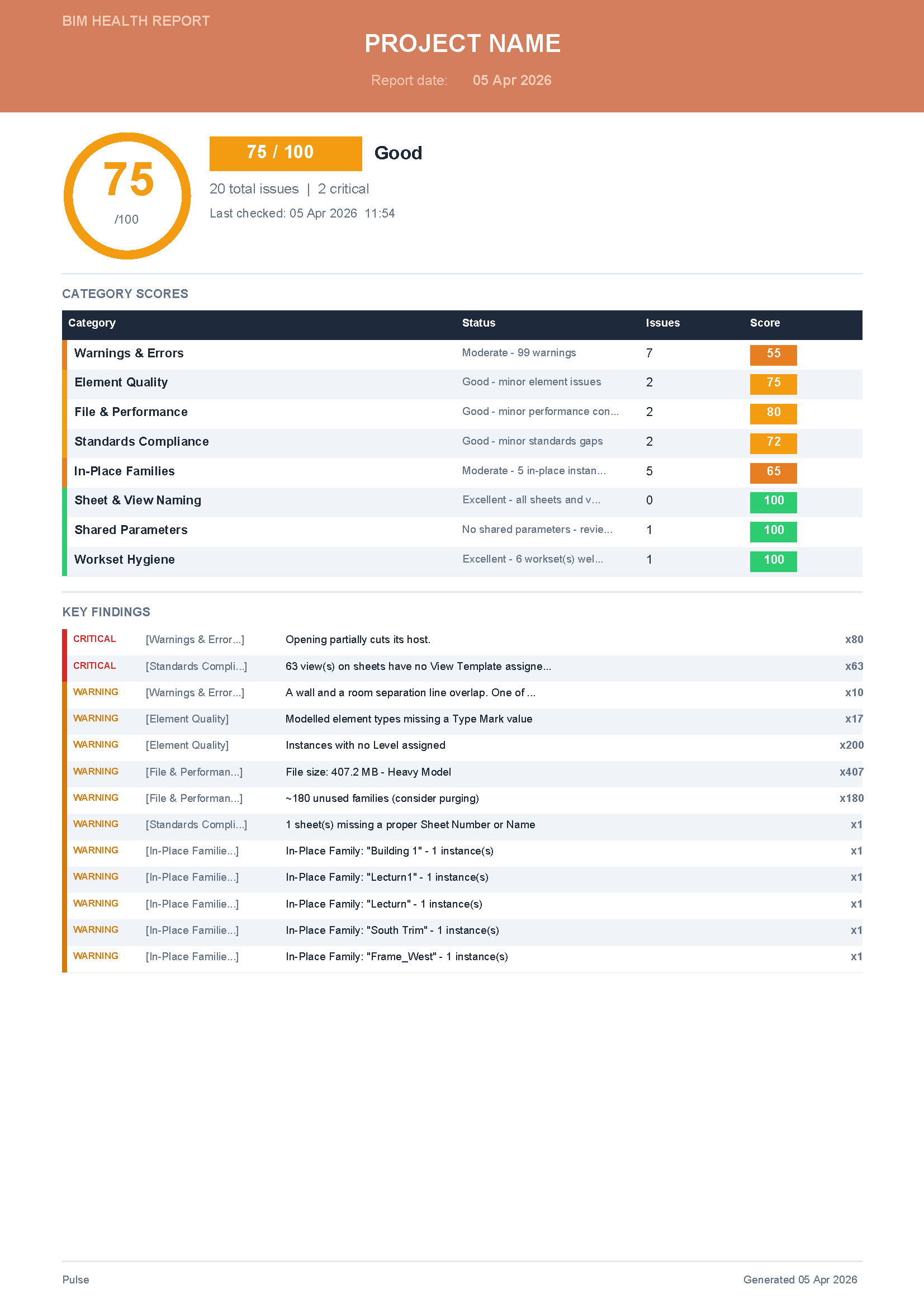
Pulse one-click PDF health report export
One-click PDF report — shareable with your whole team

Your next model deserves a health check.

Start your free trial today — available on the Autodesk App Store, no credit card required.